
🪪 KYC verification only needs to be done once.
For future payments, simply use the same email address, and Banxa will automatically recognise your verified account — so after the first verification, everything becomes instant and seamless.
🌍 Note:
At checkout, you’ll see Banxa as the payment provider.
Depending on your country, Banxa may also display additional local payment options — for example, PayID in Australia — alongside Visa and Mastercard.
All payments are processed securely through Banxa’s regulated platform.
⏱ Important:
The first payment after KYC may take up to 1 hour to be fully processed and appear in your MyPvM balance.
All subsequent payments are usually approved in just a few minutes.
🛒 Step 1 — Choose the payment option Card
🧾 Step 2 — Add your billing details
⚠️ If the billing details do not match your verified identity during KYC, the payment will not be processed, and Banxa will automatically issue a refund to your card.
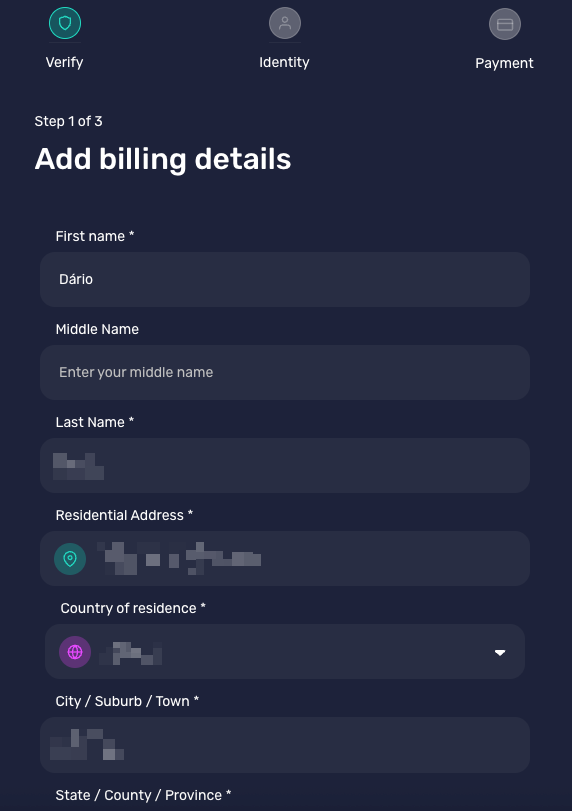
🌍 Step 3 — Select your country
After entering your billing details, you’ll need to select the country you live in before continuing to payment.
This allows Banxa to apply the correct regional compliance and currency settings for your transaction.
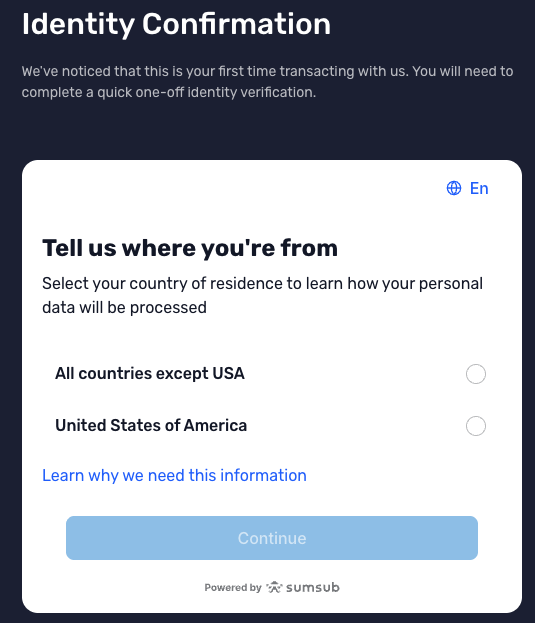
🔗 Step 4 — Complete KYC verification
Once you continue, you’ll be redirected to Banxa’s secure verification page.
At this stage, you’ll need to choose one of the available verification methods — such as passport, ID card, or driver’s licence — to complete your KYC (Know Your Customer) process.
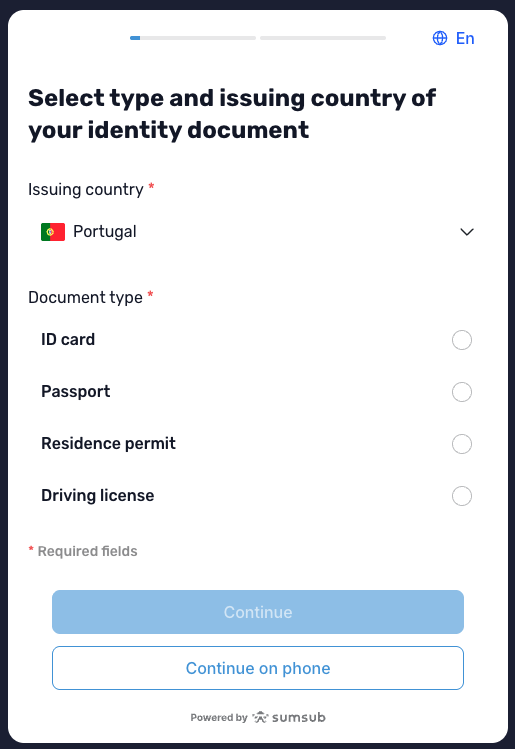
Choose one of the available verification methods.
After uploading your document, you’ll see a confirmation screen like this.
Here, make sure to select “Payment for online purchases” as the reason for verification before continuing.
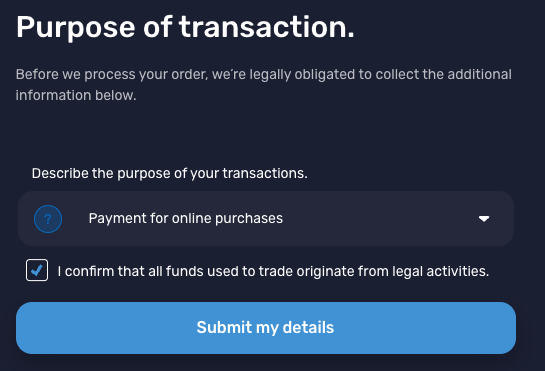
Select “Payment for online purchases” and wait for automatic approval (usually under 2 minutes).
💼 Step 5 — Confirm the wallet address
Once your verification is approved, you’ll see a screen asking you to confirm the wallet address.
This address is automatically generated by NowPayments and corresponds to MyPvM’s payment wallet — you just need to confirm it to proceed.
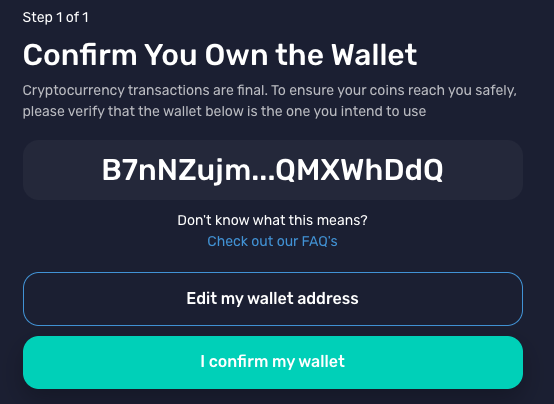
Confirm the wallet address before completing your payment.
✅ Step 6 — Payment confirmation
After confirming the wallet, you’ll see the final confirmation screen on Banxa — this means your payment has been successfully submitted.
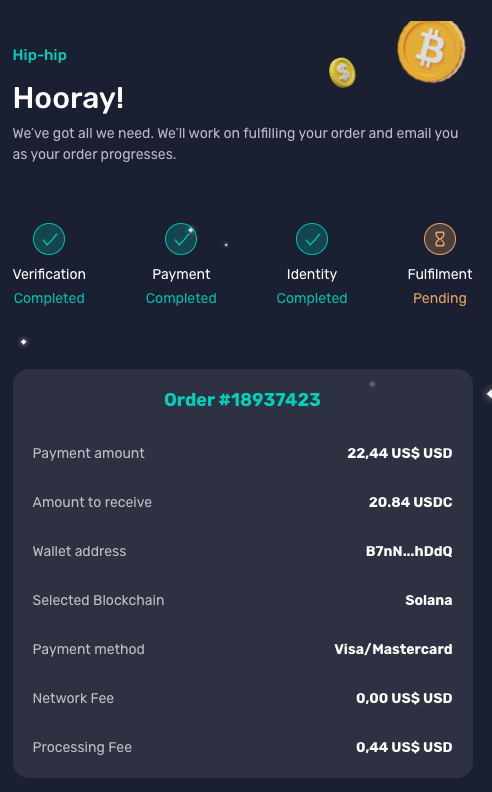
Your payment is now confirmed.
At this stage, you must return manually to our website to finalise the process.
Click here to go back to the checkout page: 👉 MyPvM Checkout
📧 You’ll also receive an email from Banxa once your transaction has been processed.
In that email, you can check whether your payment was accepted, completed, or still pending.
💬 If you’d like our team to keep an eye on your transaction, you can copy the Banxa payment link and send it directly in your chat with the manager — this helps us monitor the payment status in real time.
⏱ Processing times:
The first payment after KYC may take up to 1 hour before the funds appear in your MyPvM balance.
Subsequent transactions are usually approved and processed in just a few minutes.
🛡️ Security & Compliance
All payments follow PCI DSS and KYC/AML international standards
Your data is encrypted and never stored by MyPvM
The entire process is managed securely by NowPayments and Banxa
💡 Local payment options like PayID may vary depending on your region.