
💰 MyPvM GIM Bank Selling — Export Your Items & Get Paid Fast
Turn your GIM bank into instant cash with our streamlined selling process.
Export your bank, submit for evaluation, and choose your preferred payment method — all in 5 simple steps.
🧩 How Each Step Works
Item preparation: Decant potions, repair degraded gear, and remove charges/ammo from weapons to maximize their sellable value before export.
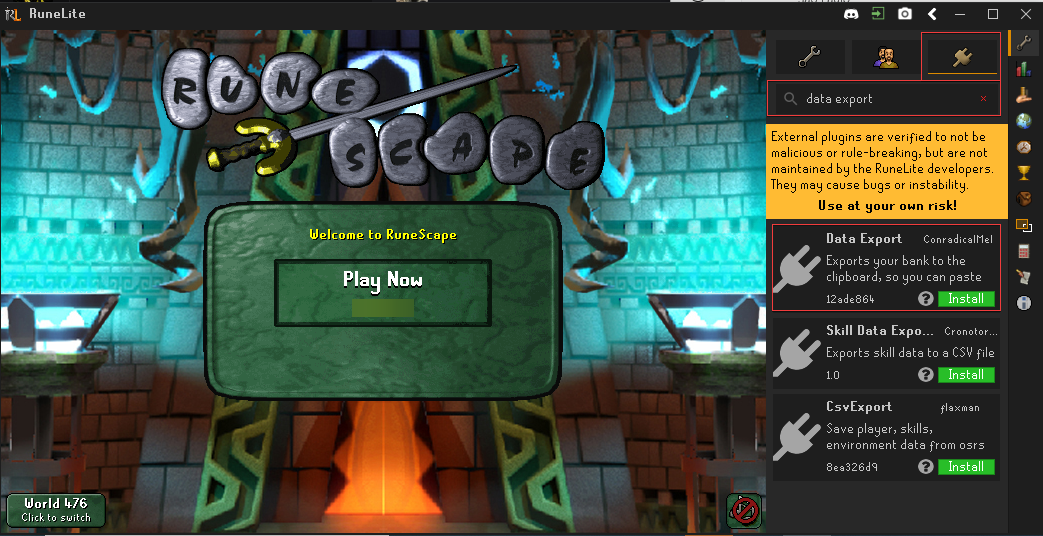
Plugin setup: Install "Data Export" from RuneLite Plugin Hub. Keep the plugin OFF (switch left/gray) during configuration to avoid issues.
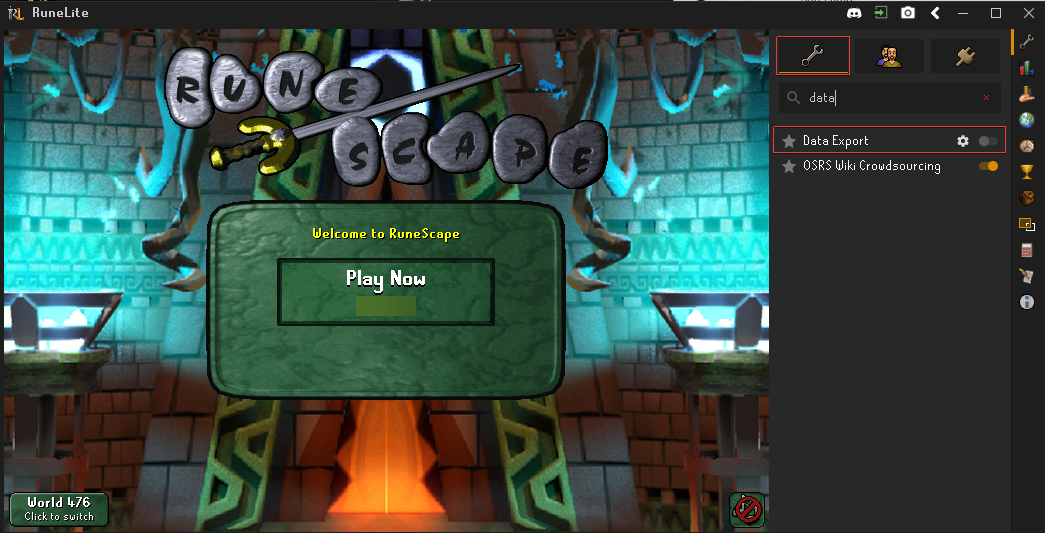
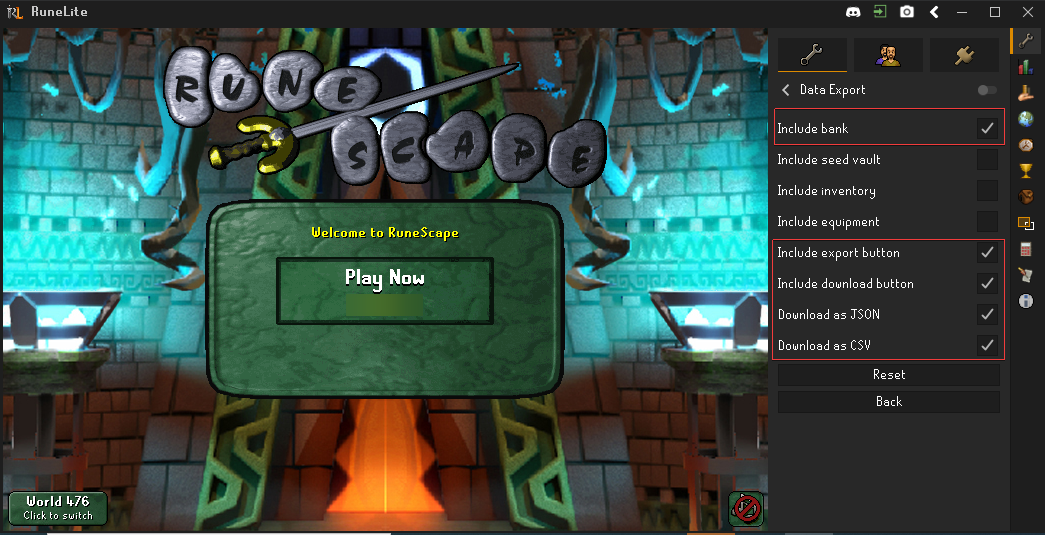
Configuration: Enable "Include bank", "Include export button", "Include download button", "Download as JSON", and "Download as CSV" options exactly as shown in our guide.
Plugin activation: Turn ON the plugin after proper configuration, then visit your bank to see the new export options.
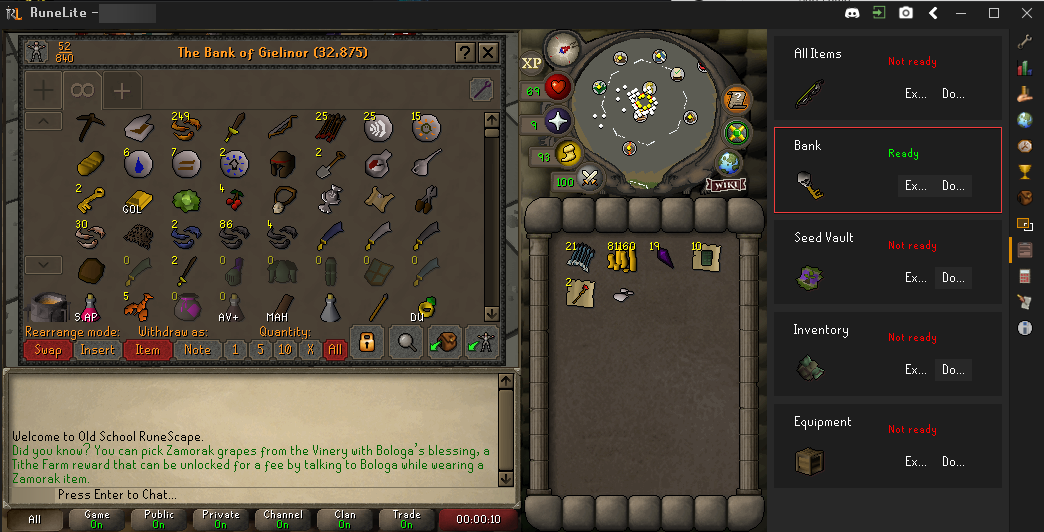
Bank export: Visit your bank, click the "Data Export" button in the Runelite plugin’s bar (shows "Ready" when available), and download your file, or it’ll be located on %userprofile%\.runelite\Data Exports\[username]\container_bank.json (or .csv if you chose that format).
File submission: Visit our official page for selling items or our Discord server of GIM Items and upload your exported file for instant automated bank evaluation by our system.
💰 Payment & Processing
Multiple payment options available — choose from OSRS GP, Cryptocurrency, or Fiat (USD/EUR/GBP/CAD).
Automated evaluation once your bank file is uploaded to official page for selling items or our Discord server of GIM Items for instant processing.
Team verification — our staff reviews all submissions to ensure accurate valuations and fair pricing.
Flexible payment timing — GP transfers are instant, other methods vary by type and amount.
All transactions are secure and tracked with full buyer protection and verified reputation.
❓ FAQ
Why should I prepare my items before exporting?
To have an even better view of your bank and be able to buy the maximum number of items possible. This creates a fairer offer for both sides — often 15-25% more value.
What if the Download button doesn't appear?
Make sure the plugin is properly configured with all required options enabled, then restart the plugin. Visit your bank again - the "Bank" button should show "Ready" when available.
What are the exact plugin settings I need?
Enable: "Include bank", "Include export button", "Include download button", "Download as JSON", and "Download as CSV". Keep plugin OFF during setup.
I'm having trouble with the plugin setup - can I get help?
Yes! Contact our team through live chat for step-by-step assistance with plugin configuration and bank export process.
Where do I find my exported file?
Check: %userprofile%\.runelite\Data Exports\[username]\container_bank.json (or .csv if you chose that format).
How quickly do I get paid?
OSRS GP payments are instant. Crypto and fiat payments typically process within 24 hours depending on amount.